PettyLogs Reporting

Business Reports for Your Cash Book, Sales, and Repairs

Build a Cashbook or Full System report from activity recorded in PettyLogs. Choose a period, branches, cash points and report sections, then preview, print, download or share the report. Reporting is a paid module; the Digital Cash Book stays free.

Compare plans
Cashbook terminology
Full System terminology
Period and location filters
Preview, print and PDF

Reports built from your PettyLogs records

Choose the Cashbook or Full System view that fits the activity you record in PettyLogs.

Terminology changes how financial activity is presented, and each mode has its own available report sections. Select the sections you want to include. Reports cannot include sales or repair activity that remains in another system.

Two ways to frame recorded activity

Cashbook

For businesses that keep sales or repairs elsewhere

Use Cashbook terminology when PettyLogs records your daily cashbook activity while sales, repairs or accounting are managed in another system.

  • Recorded cashbook income with its stored tax amount, refunds and recorded outgoings
  • Bank deposits and cash movements
  • Income by payment type, category and item
  • Payee totals and details
  • Backoffice income and expenses when included by an authorized manager
  • A daily cash balance view for a single day
Full System

For businesses that record sales and repairs here

Use Full System terminology when PettyLogs is where you record operational sales and repair activity. It presents revenue, costs, profit and margin from those records.

  • A financial summary across products, parts, service charges, repair jobs and cashbook activity where present
  • Cash Sales summaries and product, part and charge breakdowns
  • Recorded tax, refunds, costs, units sold and margin details
  • Models sold and parts sold summaries
  • Payment types, categories, deposits, expenses, payees and optional backoffice activity

Choose the scope and shape of a report

Set the reporting scope, choose the mode and include the sections that answer your question.

01Choose a reporting period, then select the branches and cash points to include.
02Select available report sections; what is available depends on report mode and recorded activity.
03Use the single-day view for daily cash balance reporting.
04Choose Auto, Cashbook or Full System terminology. Auto selects a mode based on recorded activity.
05Choose Ledger, Executive, Minimal or Workshop document style.

Document styles

  • Ledger
  • Executive
  • Minimal
  • Workshop

Report output

  • Preview
  • Print
  • Download as PDF
  • Share a generated report

A closer look at PettyLogs reports

Browse sections from Cashbook and Full System reports alongside fictional sample values. Section availability depends on report mode and recorded activity.

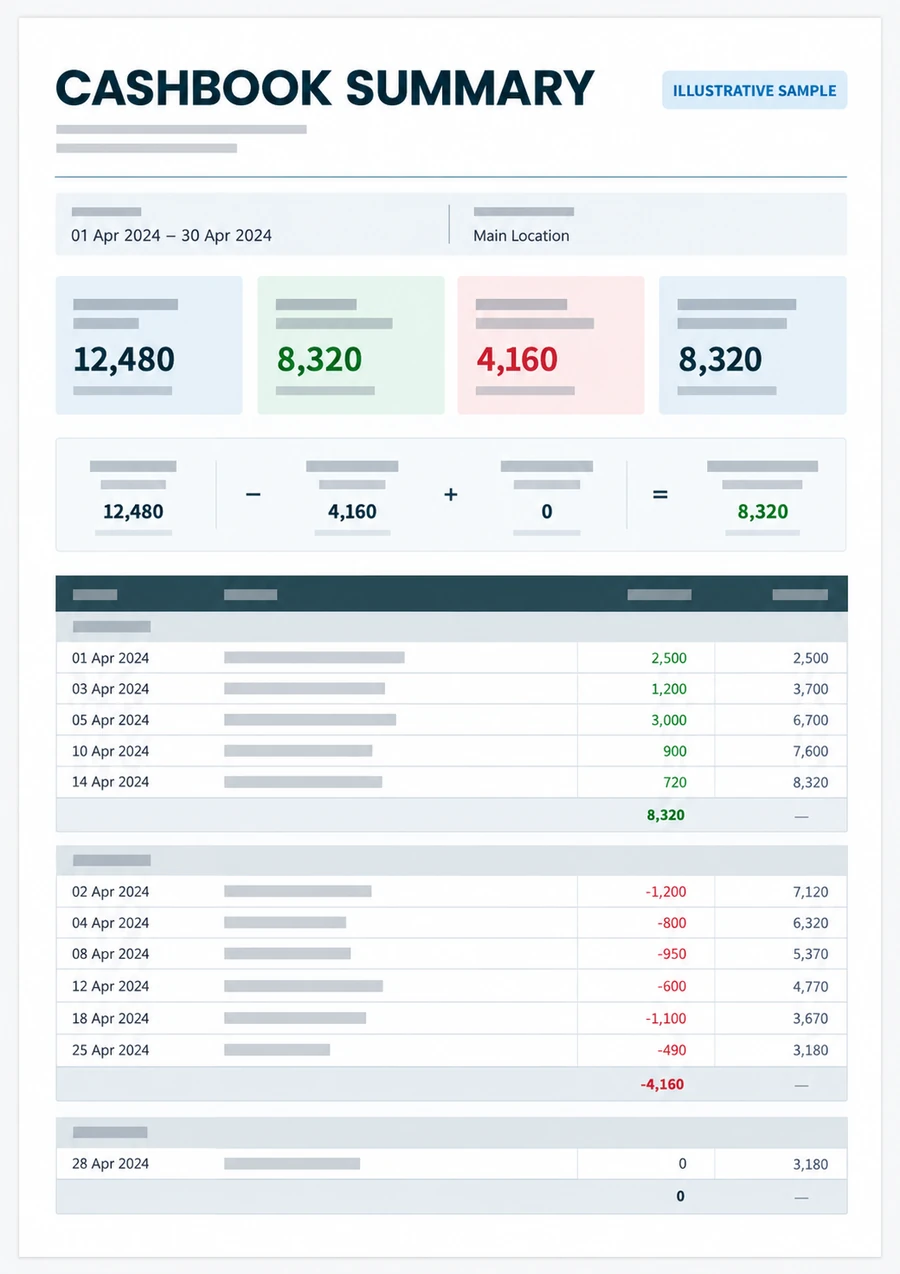
Cashbook view

Illustrative report page with cashbook income, outgoings, a reconciliation summary and itemized rows.
Illustrative layout · figures are fictional; currency omitted

Key figures

Recorded income
12,480
Outgoings
(4,160)
Net result
8,320

Report sections

  • Daily Cash Balance
  • Income & Outgoings
  • Financial Summary
  • Recorded Settlements by Payment Type
  • Cashbook Activity by Category
  • Gross Cashbook Income by Item
  • Bank Deposits
  • Recorded Outflows
  • Backoffice Expenses
  • Backoffice Activity
  • Payee Totals
  • Payee Details

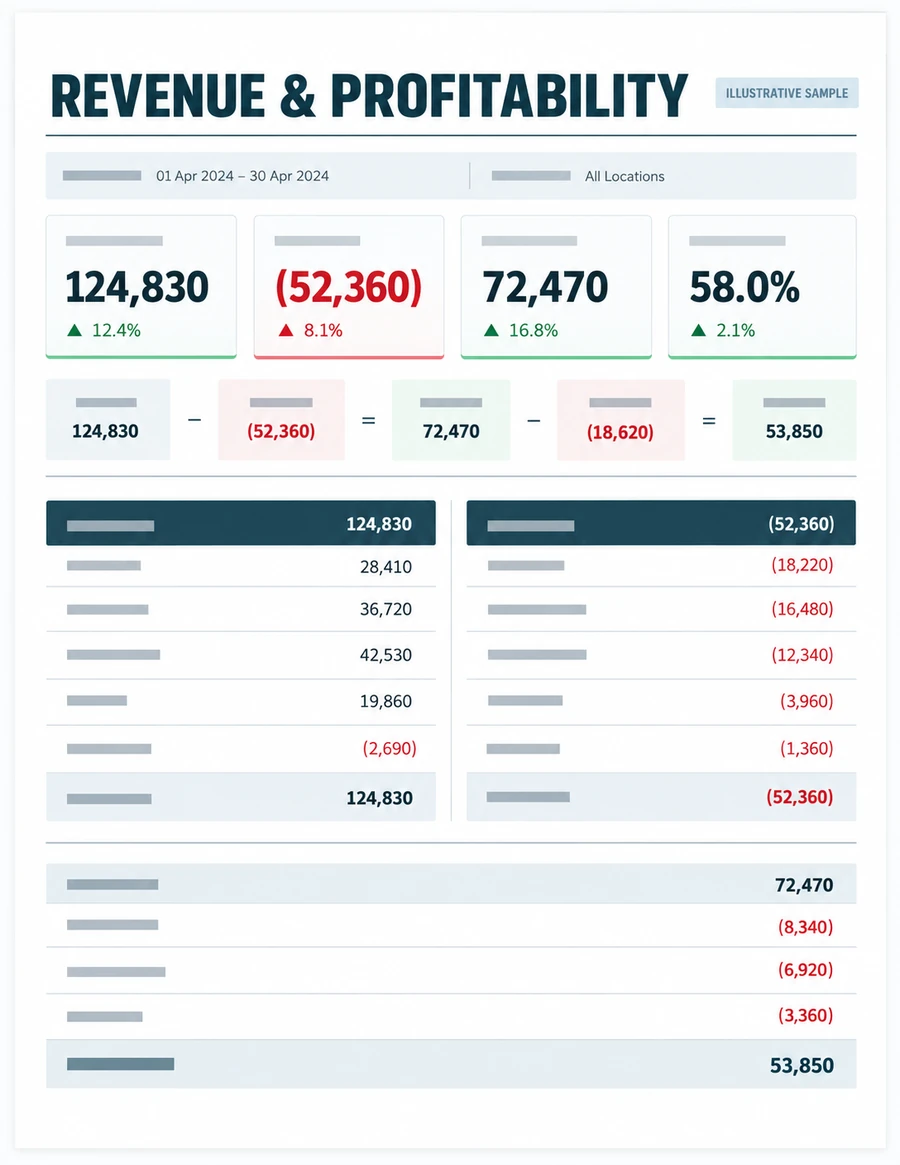
Full System view

Illustrative report page with revenue, direct costs, gross profit, margin and itemized income and deductions.
Illustrative layout · figures are fictional; currency omitted

Key figures

Revenue
124,830
Direct costs
(52,360)
Gross profit
72,470
Gross margin
58.0%
Net result
53,850

Report sections

  • Daily Cash Balance
  • Income & Outgoings
  • Financial Summary
  • Recorded Settlements by Payment Type
  • Cashbook Activity by Category
  • Gross Cashbook Income by Item
  • Cash Sales - Detailed Breakdown
  • Cash Sales Summary
  • Service Charges
  • Models Sold Summary
  • Parts Sold Summary
  • Bank Deposits
  • Recorded Outflows
  • Backoffice Expenses
  • Backoffice Activity
  • Payee Totals
  • Payee Details

Reporting is a paid module

Cash Sales requires Reporting, while the paid Repairs module includes Cash Sales and Reporting. The Digital Cash Book offers free manual cashbook records and numbered receipts; report generation and cash-count features require Reporting.

Compare plans

What the report can and cannot show

Reports summarize only the activity recorded in PettyLogs. Sales or repair activity held in another system is not included. PettyLogs reports do not replace accounting software or independently verify the records.

Reporting questions

Which reporting view should I use?

Choose Cashbook when you record cashbook activity in PettyLogs and manage sales or repairs elsewhere. Choose Full System when you record your operational sales and repair activity in PettyLogs. Auto selects terminology based on recorded activity.

What can I filter in a report?

Choose a reporting period, branches, cash points and the report sections available for your selected view. The daily cash balance view is for a single day.

Can a report include backoffice activity?

An authorized manager can include available backoffice income and expense sections. Choose those sections when configuring the report.

Which modules include Reporting?

Reporting is paid. Cash Sales requires Reporting, and the paid Repairs module includes Cash Sales and Reporting. The free Digital Cash Book is available on its own, without paid report generation.

Will a report show activity from my other systems?

No. Reports use activity recorded in PettyLogs and may not include sales, repairs or accounting activity kept elsewhere.

See what Reporting includes

Compare the paid modules and start with the free Digital Cash Book when you are ready.

Want to see everything PettyLogs offers? Visit the full platform overview